

This is the first post in a short series about a USB WiFi adapter that kept falling over on my laptop, and the long road to understanding why. I’m writing it as it actually happened, mistakes included, because the dead ends taught me more than the parts that worked.
I wasn’t planning to write about this fix when it happened, so I didn’t keep the raw logs myself. The commands and outputs quoted here come from the context of the Claude session I used for assistance while debugging, not from memory or files I preserved on purpose.
The setup
The dongle is a TP-Link USB adapter built around a Realtek RTL8822BU chip. It plugs into a ThinkPad T470 running Ubuntu 22.04. Linux talks to it through rtw88, the driver family Realtek and the kernel community maintain for this whole generation of chips.
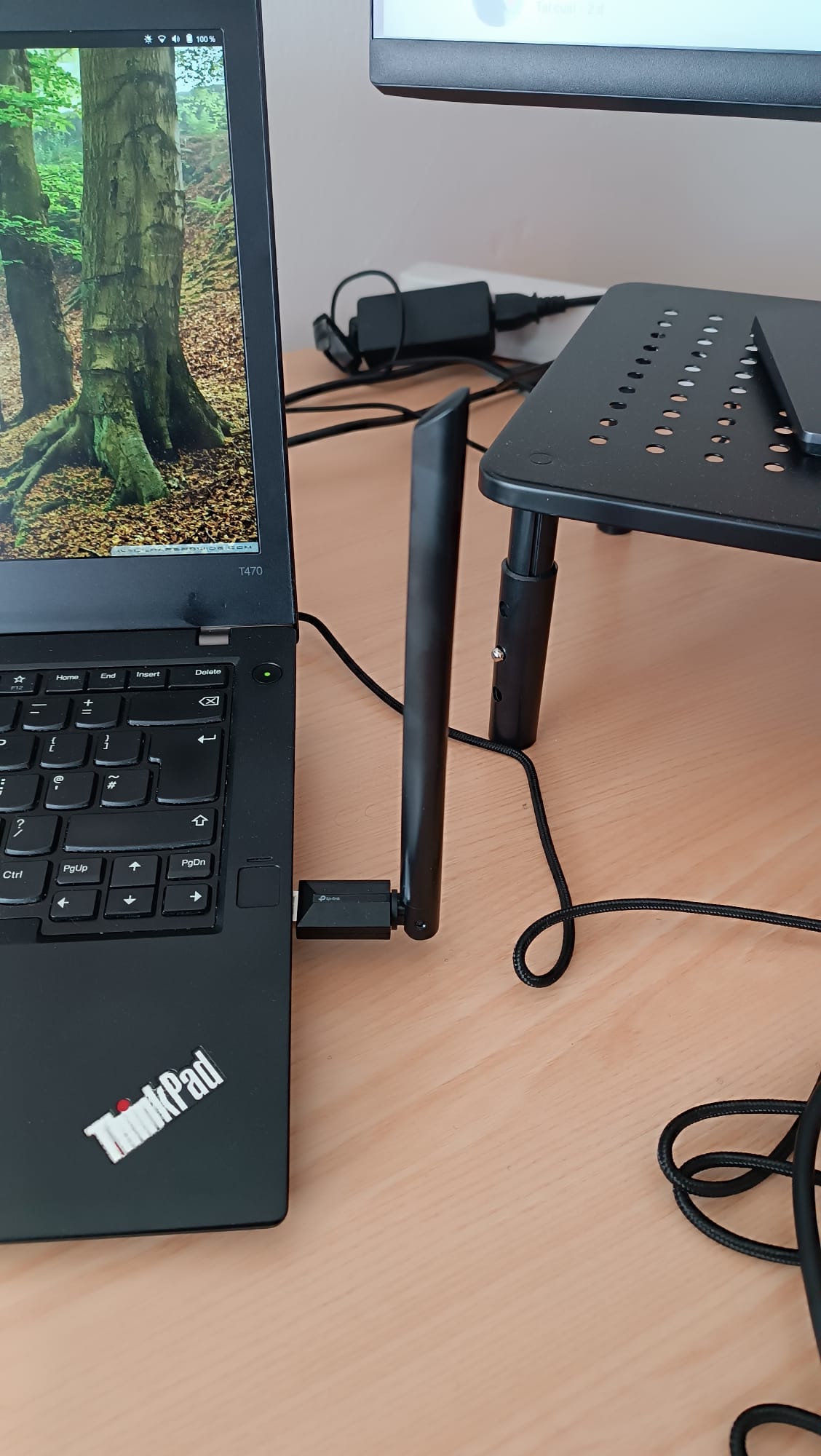
The actual dongle used throughout this series, photographed plugged into the ThinkPad T470.
lsusb lists every USB device currently connected, each with its vendor/product ID. Filtering for this one, its ID shows up as 2357:0138:
$ lsusb | grep TP-Link
Vendor/product ID 2357:0138 matches TP-Link’s USB ID allocation and is the same ID used to filter the kernel log throughout this series (e.g. idVendor=2357, idProduct=0138 in the boot-gap excerpt below).
For a while it worked fine. Then it didn’t, and it took some time to find out why — not because the fix was hard, but because almost every early theory turned out to be wrong in a way that only showed up once I tested it properly.
First sighting, while I was looking at something else entirely
I noticed something was off while trying to speed up my boot time, nothing to do with WiFi at first. The kernel log keeps a timestamped line for almost everything it does during startup, counted in seconds since boot. I wrote a small script to print only the gaps — any place where more than a quarter of a second passed with nothing logged. Most of a boot is a long list of one-line events, each one normal on its own; a gap is where something was waiting.
Most of the gaps were nothing: a sound card binding, a kernel module loading, routine one-line events. But five lines, clustered together, all belonged to the same device:
$ journalctl -k -b -o short-monotonic --no-pager | awk '{ ...gap-detection... }' | tail -40journalctl has some interesting arguments we used in this case:
-kshows only kernel messages-blimits them to the current boot-o short-monotonicprints each line’s timestamp as seconds since boot instead of a wall-clock date--no-pagerprints straight to the terminal instead of opening a pager
usb 1-4: New USB device found, idVendor=2357, idProduct=0138, bcdDevice= 2.10
wlx202351792e68: authenticate with 16:49:20:49:c7:d8
wlx202351792e68: authenticate with 16:49:20:49:c7:d8   (again)
usb 1-4: USB disconnect, device number 3
rtw_8822bu 1-4:1.0: timed out to flush queue 2
That’s the dongle showing up, trying to log in to the network twice in a row, then disconnecting, then logging an outright error about failing to clear its own send queue. Everything else around it was quiet. I called it the likely cause of the slow boot and moved on to test it — unplug the dongle, reboot, see if the delay goes away.
I never ran that test. Other parts of the same boot-speed investigation took priority, and the dongle’s five strange lines sat there, unexplained, for the rest of that day.
Nine days later, for an unrelated reason
The dongle came back into the picture because of something else completely: I noticed my laptop was using its own internal WiFi card instead of the TP-Link one, and asked for that to be fixed. The router sits on the other side of the flat from my office, so the signal there is weak; the TP-Link connects to a repeater instead, which is why I want it preferred over the internal card. That’s a routing preference, nothing to do with a broken device.
Except when the TP-Link was checked, it wouldn’t even scan for networks. Not “picked second,” not “slower” — empty. Nothing showed up at all. That sent the investigation into the driver itself, and the kernel log for that device was full of this, repeating every two seconds:
$ journalctl -k --no-pager | grep -i "rtw88\|8822b\|firmware" | tail -40Same -k and --no-pager as before. The one thing missing this time is -b — without it, journalctl searches across every boot it still has logs for, not just the current one, which is what I wanted in order to find a recurring pattern instead of a single boot’s timeline.
rtw_8822bu 1-4:1.0: firmware failed to leave lps state
rtw_8822bu 1-4:1.0: failed to get tx report from firmware
rtw_8822bu 1-4:1.0: failed to get tx report from firmware
“LPS” stands for Leisure Power Save — that’s the actual name in the driver’s source. The chip sits idle after a stretch with no traffic, sleeping for at most one beacon interval at a time and waking briefly to check whether the router has data waiting for it — the same idea as a phone screen dimming when you’re not touching it.
Linux’s wireless stack documents the host side of this as dynamic power save — but that only covers the Linux kernel’s own decision to ask the chip to sleep. It says nothing about what the TP-Link’s firmware actually does once asked, and I haven’t managed to find any proper rtw88 documentation anywhere, official or otherwise. That part is Realtek’s own closed-source territory.
“Leave LPS” is just the chip waking back up. And here, the log said otherwise: it wasn’t waking up cleanly. The chip’s own firmware — the small program that runs inside the WiFi chip itself, separate from the Linux driver — was getting stuck.
That was the real bug. Everything from here is the attempt to understand it, fix what could be fixed, and be honest about what couldn’t.
What the first symptom actually tells us
That very first boot-time symptom — “timed out to flush queue 2” — is still unexplained on its own. There turned out to be a second, completely different driver installed on this laptop, quietly competing with the right one for control of the dongle on every single boot — more on that in the next post — and that competition could just as easily explain one failed connection attempt at boot as a firmware lockup could. The test that would tell the difference — reboot with the dongle unplugged, see what changes — is the same test I never ran back at the start. So this one stays open.
More to come in Part 2: the second driver I didn’t remember installing, and why it made every early test result impossible to trust.
Comments